You’re still moving.
Orbit is continuous free fall. Brake to lower your orbit, then manage your speed on the way down. Releasing a thruster stops the push, not your motion.
A lunar lander simulator
for learning about the Moon.
Start in orbit, detach from the carrier, and work your way down. The terrain comes from NASA data. The guidance computer will help. Let it handle the landing, or grab the controls yourself.
Give it a go ↗Choose a mission →Bring a laptop or desktop and a keyboard. Best in a wide, full-screen window; the cockpit does not render well on phones.
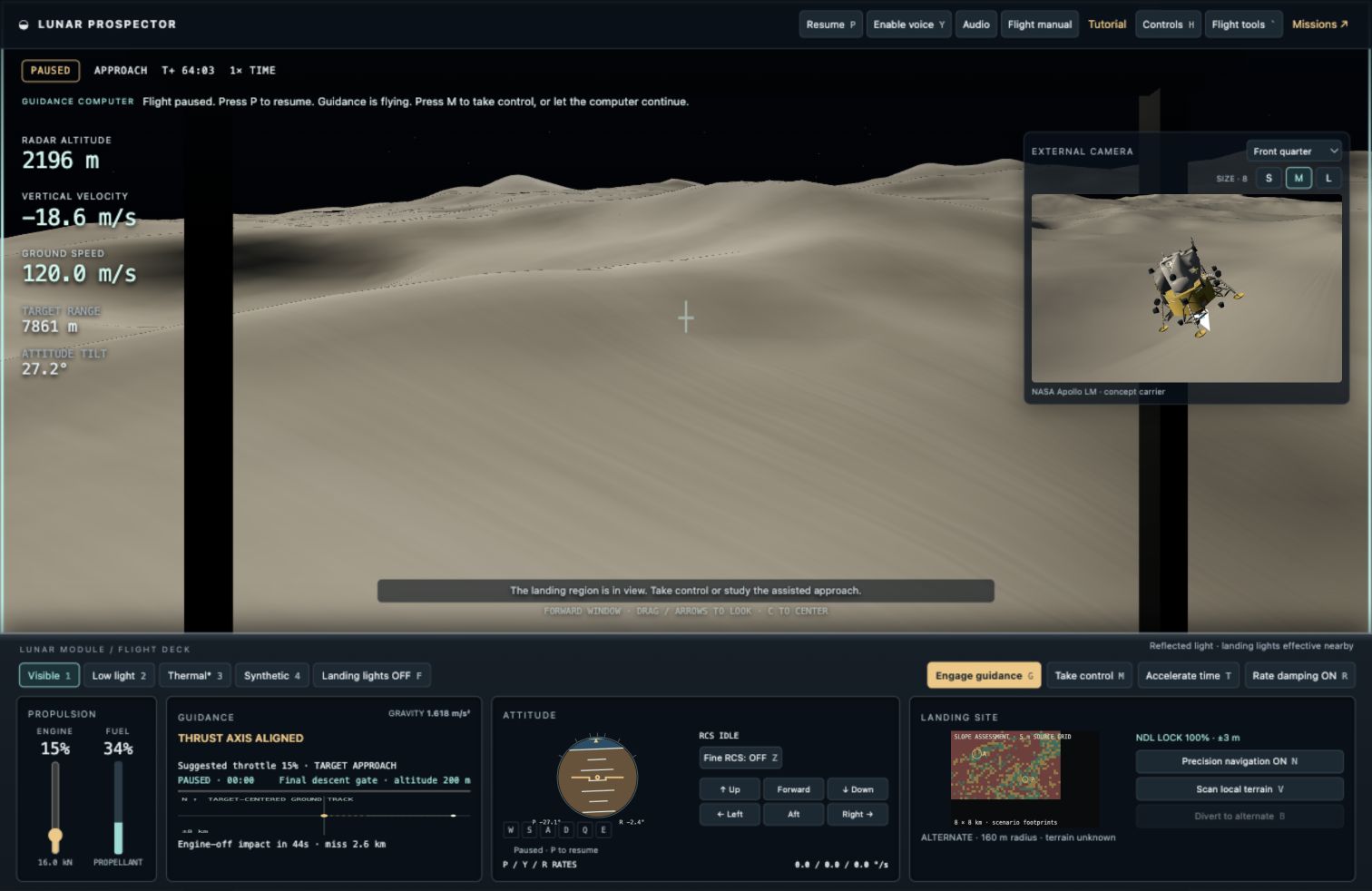
Finding somewhere flat is one thing. Landing close to a promising resource site, in poor light, with fuel running low? That takes practice.
Orbit is continuous free fall. Brake to lower your orbit, then manage your speed on the way down. Releasing a thruster stops the push, not your motion.
The hills below you come from NASA’s Lunar Reconnaissance Orbiter data. Look for a patch with enough room and a gentle slope. Shadows can make that harder than it sounds.
Explore the terrain source ↗Water ice can persist in polar areas that never receive sunlight. That makes them interesting places to explore—and difficult places to land. In this game, you’ll try getting close to a fictional resource prospect.
Learn about lunar water ↗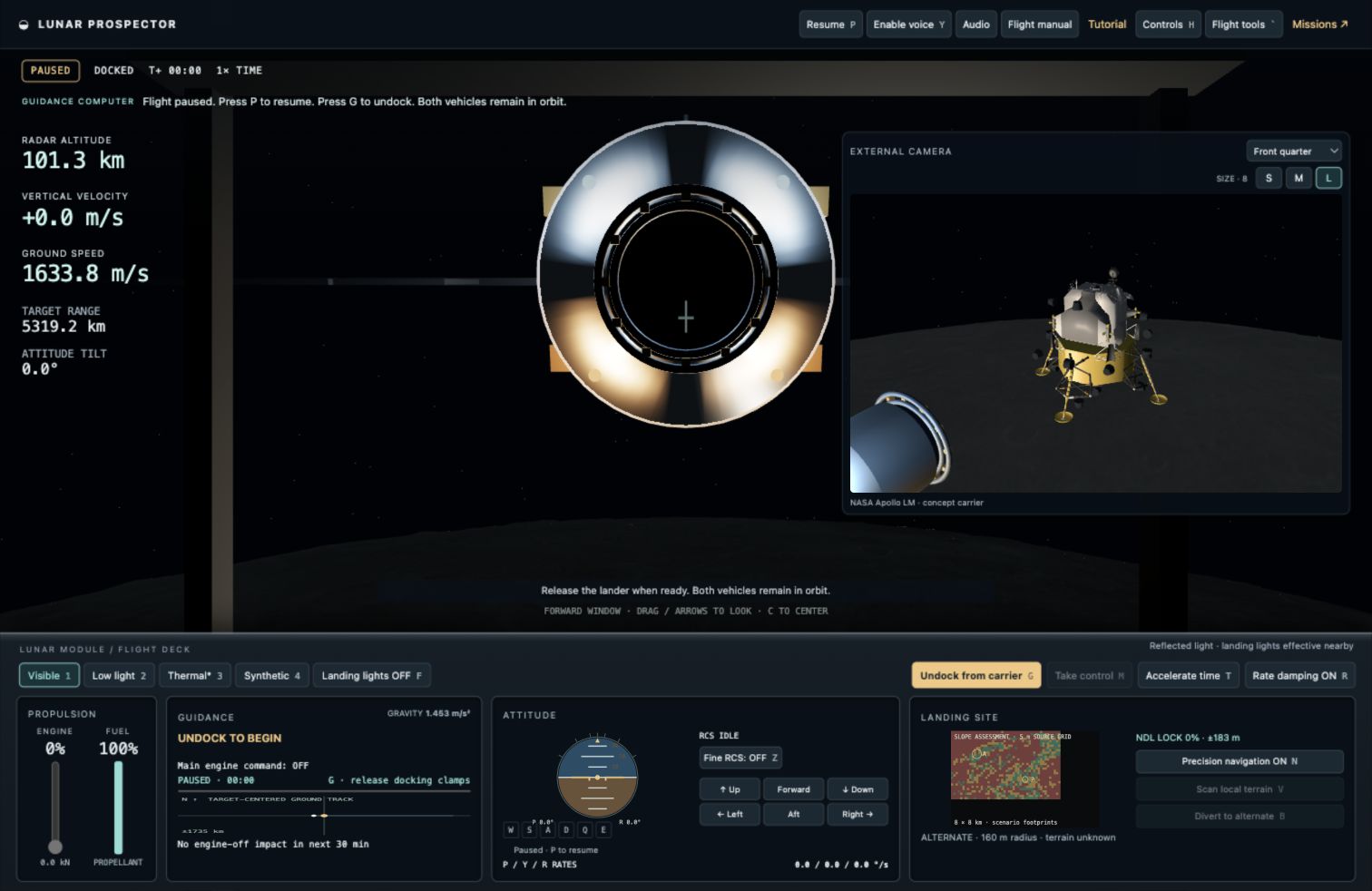
Your lander starts beside the carrier. The external camera shows the Apollo lunar-module model as you separate. Change the camera angle if you want a better look.
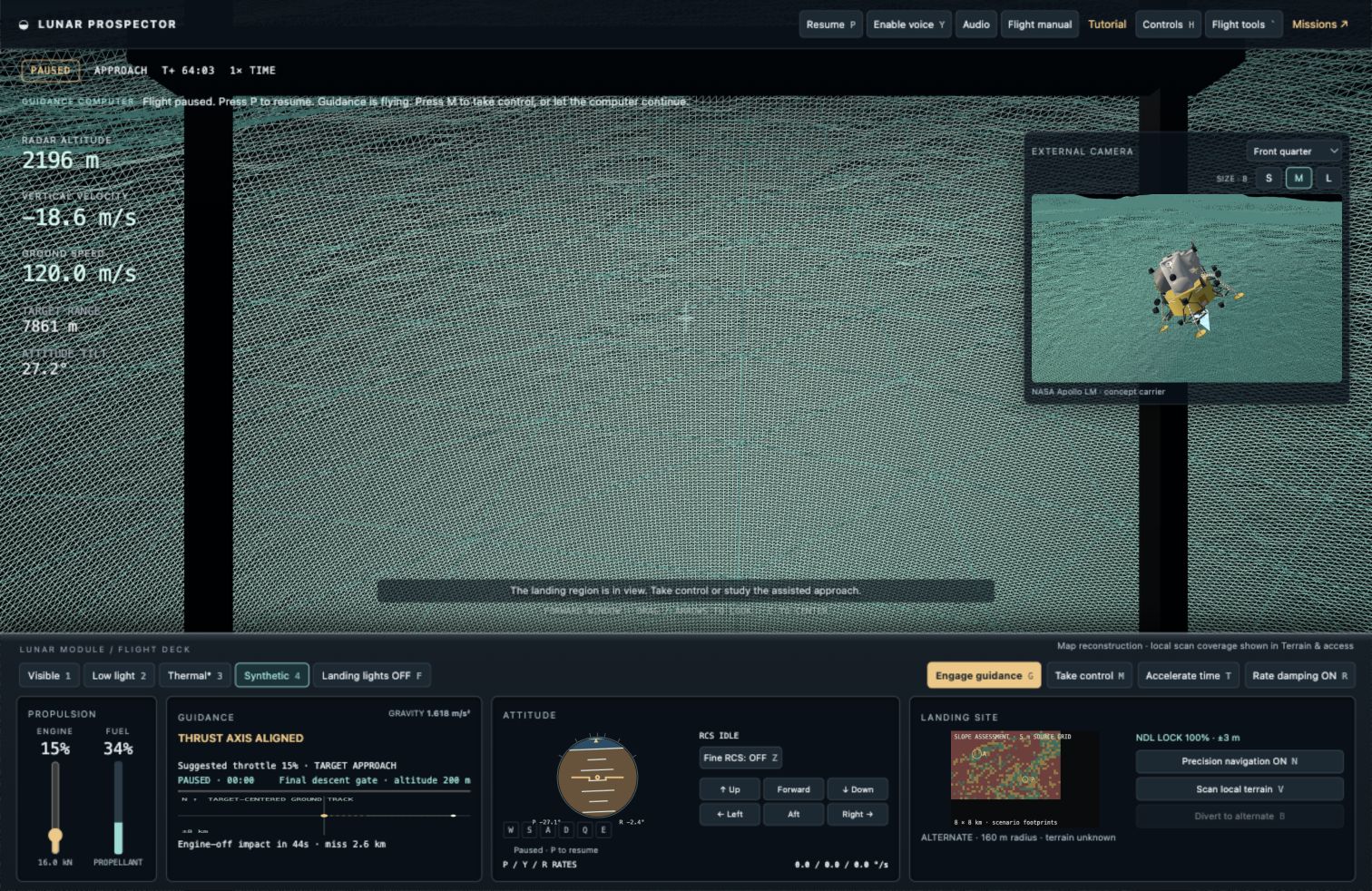
This is the synthetic terrain view. Switch between it and the cameras as you approach, then scan for a landing patch. The instruments help when the view outside is hard to judge.
Screenshots captured from this simulator. Click an image for the full-size view. Mission lighting and sensor displays are illustrative.
The tutorial walks you through the controls. Turn on voice if you’d like the computer to talk you through it. You can leave guidance in charge all the way to touchdown.
Practice undocking and descending to a wider landing patch on Connecting Ridge. The computer handles the burns while you learn what the instruments are telling you.
Try a smaller landing patch near a fictional resource prospect. There’s less room for error here. Scan the ground and keep an eye on fuel; you can divert to a wider patch if the approach looks bad.
Use time acceleration during the coast, or jump to an approach checkpoint. Play for free; no account or payment required.
You need to know how high you are, how fast you’re moving, and whether the ground is suitable for landing. These systems help with different parts of that job.
Navigation Doppler lidar measures altitude and velocity. In the game, a navigation lock narrows your uncertainty and improves the landing solution.
A separate terrain scan reveals slope and candidate touchdown patches. Unscanned ground remains unknown in the local hazard display.
Guidance adjusts the craft’s attitude and thrust to fly the approach. You can leave it running, take over manually, choose the alternate landing site, or abort.
Visible and low-light modes depict reflected light. Thermal mode is an illustrative temperature-contrast view, not measured thermal data or a mineral detector. Lidar mode is a synthetic reconstruction: the local hazard panel marks coverage. Landing lights illuminate nearby ground. None of these systems guarantee visibility through dust or reveal buried resources.
Global elevation and surface imagery come from NASA’s LRO data. The polar landing region uses a Connecting Ridge elevation crop from an original 5 m grid; the displayed regional mesh is coarser. Many source pixels are interpolated, and small boulders are unresolved.
The flight sequence, guidance, carrier, lighting, and sensor behavior are simplified. Water, metal, and resource scores are fictional mission values—not mapped deposits or proven reserves. This is an educational game, not training for real spacecraft operations.
We built Lunar Prospector at GenLab because looking at pictures of the Moon only gets you so far. We wanted to try flying over the terrain, choosing a landing spot, and finding out what makes an approach difficult. Now you can try it too. It’s free, and it runs in your browser.
More about GenLab · genlab.studio ↗Start with the tutorial. If the landing goes badly, there’s a checkpoint for another attempt.
Enter the cockpit ↗Lunar Prospector is free to play. NASA’s published media guidelines permit educational and informational uses, including computer simulations, subject to their conditions. NASA source material is credited below. This independent GenLab project is not affiliated with, sponsored by, or endorsed by NASA.
NASA media usage guidelines ↗ · Third-party rights and NASA branding restrictions remain separate. Free access to this game does not grant a blanket license to every source asset.